
Last updated on
Nov 6, 2026
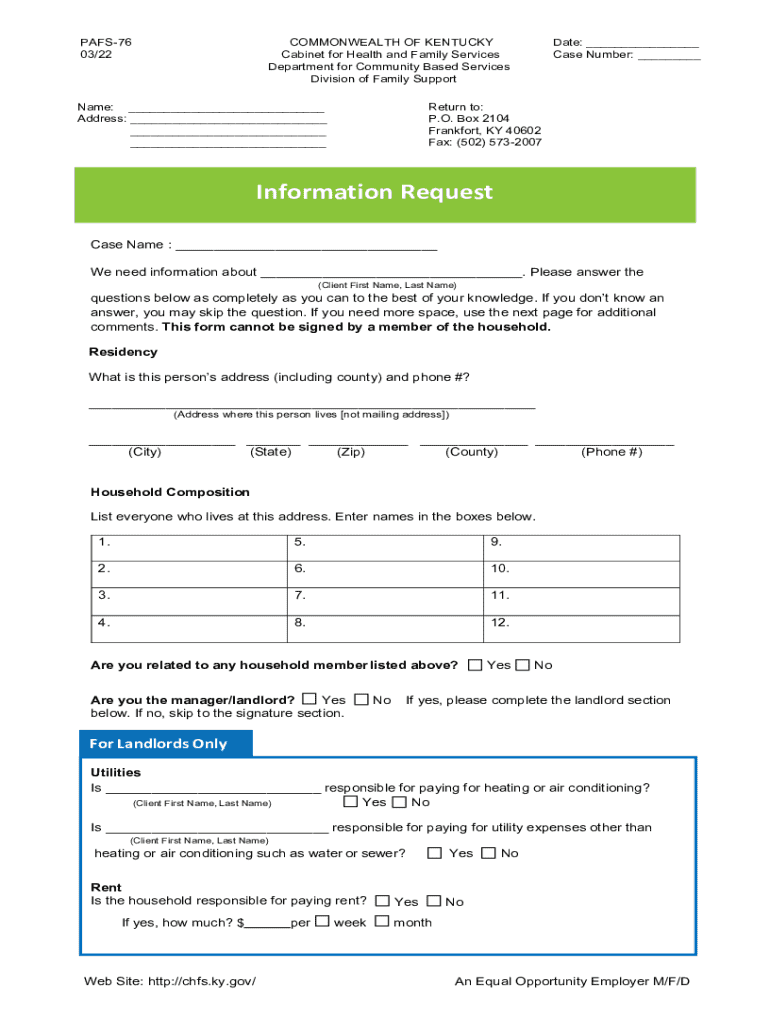
KY PAFS-76 2022-2026 free printable template
pdfFiller is not affiliated with any government organization

Fill out
Complete the form online in a simple drag-and-drop editor.

eSign
Add your legally binding signature or send the form for signing.

Share
Share the form via a link, letting anyone fill it out from any device.

Export
Download, print, email, or move the form to your cloud storage.
Why pdfFiller is the best tool for your documents and forms


End-to-end document management
From editing and signing to collaboration and tracking, pdfFiller has everything you need to get your documents done quickly and efficiently.
Accessible from anywhere
pdfFiller is fully cloud-based. This means you can edit, sign, and share documents from anywhere using your computer, smartphone, or tablet.
Secure and compliant
pdfFiller lets you securely manage documents following global laws like ESIGN, CCPA, and GDPR. It's also HIPAA and SOC 2 compliant.
What is KY PAFS-76
The Kentucky Information Request Form is an affidavit used by the Cabinet for Health and Family Services to collect essential information for case management and benefits determination.
pdfFiller scores top ratings on review platforms




I'm trying out the 3 days free access to forms. The form is real easy to fill out, the customer support service is "Excellent".
I would have liked a 3 month option of membership.
As far as the over-all service and ease of filling out the forms, I give it a 5*.
Works Great & makes completing forms so much easier. Would like to save completed document.
Awesome, makes me look very professional.
Saved me a great deal of stress trying to return a document for business...Thank you! I just mentioned to my wife today how many headaches have been averted by using this system compared to the frustration I had previously.
I like the ease of filling out the documents and being able to go back and retrieve them...love it
Who needs KY PAFS-76?
Explore how professionals across industries use pdfFiller.

KY PAFS-76 is needed by:
-
Kentucky residents seeking assistance from social services
-
Individuals providing information for residency verification
-
Non-household members giving details for health services cases
-
Community organizations helping clients apply for aid
-
Caseworkers and social service professionals in Kentucky
Comprehensive Guide to KY PAFS-76
What is the Kentucky Information Request Form?
The Kentucky Information Request Form is issued by the Cabinet for Health and Family Services to facilitate the collection of vital information regarding clients' residency and household composition. This KY social services form plays a crucial role in determining eligibility for various benefits available to residents of Kentucky.
Purpose and Benefits of the Kentucky Information Request Form
This form is essential for efficient case management and benefits determination, ensuring that applicants receive appropriate support. For clients, completing the Kentucky Information Request Form streamlines the process of accessing services, while also benefiting the Cabinet for Health and Family Services by providing necessary data for service delivery.
Benefits include:
-
Faster processing of service applications
-
Improved accuracy in benefit allocation
-
Enhanced communication between clients and service providers
Key Features of the Kentucky Information Request Form
The Kentucky Information Request Form includes several critical fields and sections designed to gather comprehensive information. Key features involve the following:
-
Name
-
Address
-
Relationships within the household
-
A section requiring a non-household member's signature
Completing the ky household composition form accurately is vital since it helps establish clear residency verification.
Who Needs to Complete the Kentucky Information Request Form?
This form is intended for individuals applying for social services or benefits in Kentucky. It is essential in scenarios such as:
-
Applying for healthcare assistance
-
Seeking community-based services
Recognizing the target audience for the Kentucky Information Request Form is crucial for ensuring that those in need are able to effectively utilize this KY government form.
How to Fill Out the Kentucky Information Request Form Online
Filling out the form online can be accomplished through a platform like pdfFiller. Follow these steps:
-
Open the Kentucky Information Request Form on pdfFiller.
-
Enter your name and contact information in the appropriate fields.
-
Complete all required sections, ensuring accuracy in utility and rent responsibility details.
-
Have a non-household member sign the form.
-
Review all entries before submitting.
Pay close attention to fields that might require specific detail to avoid common mistakes.
Common Errors When Filling Out the Kentucky Information Request Form
When completing the Kentucky Information Request Form, individuals often make several common errors, which can lead to delays. Frequent mistakes include:
-
Providing inaccurate residency information
-
Failing to obtain the required non-household member signature
To avoid these issues, double-check all entries and ensure compliance with requirements. Learning how to fill out the Kentucky Information Request Form properly is essential for a smooth application process.
Submission Methods for the Kentucky Information Request Form
Submitting the Kentucky Information Request Form can be done through various methods:
-
Online submission via pdfFiller
-
In-person delivery to local health and family services offices
Knowing where to send or deliver the form ensures timely processing and helps avoid unnecessary delays.
What Happens After You Submit the Kentucky Information Request Form?
Once the Kentucky Information Request Form is submitted, there is a specific process for processing applications. This process typically involves:
-
Reviewing the provided information
-
Determining eligibility for requested services
-
Notifying applicants of the outcomes, including any rejection reasons
Effective tracking mechanisms can help applicants stay informed regarding the status of their submission.
Security and Privacy Considerations for the Kentucky Information Request Form
Handling sensitive information contained in the Kentucky Information Request Form necessitates adherence to security standards. Compliance with regulations such as HIPAA and GDPR is crucial. Utilizing services like pdfFiller ensures that data is managed securely, with features in place to protect personal information.
It is advisable to learn how to sign or notarize the Kentucky Information Request Form properly to further safeguard sensitive content.
Get Started with the Kentucky Information Request Form Using pdfFiller
Utilizing pdfFiller allows users to fill out, edit, and submit their Kentucky Information Request Forms with ease. The platform offers numerous advantages, such as the ability to manage documents effectively and securely.
How to fill out the KY PAFS-76
-
1.To access the Kentucky Information Request Form on pdfFiller, visit the pdfFiller website and log into your account.
-
2.Use the search bar to type 'Kentucky Information Request Form' and select the form from the search results.
-
3.Once the form opens, familiarize yourself with the layout including the blank fields and signature section.
-
4.Before starting to fill out the form, gather relevant information such as addresses, phone numbers, and relationship details among household members.
-
5.Begin completing the form by clicking on each field to enter the required information. Use pdfFiller's tools to validate inputs where necessary.
-
6.Pay special attention to the signature area, ensuring that a non-household member provides the signature. Ensure that you input all relevant details accurately.
-
7.After filling out the form, review all entries carefully. Use the preview feature to see how the completed form will appear.
-
8.Once satisfied with the filled form, save your progress and download the completed version to your device or distribute it through email if needed.
-
9.To submit the form, follow the instructions provided by the Cabinet for Health and Family Services, which may include mailing the form or submitting it through their online platforms.

Who is eligible to fill out the Kentucky Information Request Form?
This form can be filled out by non-household members providing information about a client's residency and household composition for health services purposes.
Are there any deadlines for submitting the Kentucky Information Request Form?
While specific deadlines may vary by case, it's best to submit the form as soon as possible to ensure timely processing of benefits or services.
How can I submit the Kentucky Information Request Form?
You can submit the completed form by mail or electronically, depending on the requirements set by the Cabinet for Health and Family Services.
What supporting documents do I need for this form?
While the form itself typically requires no additional documents, it may be helpful to include identification or proof of residency as supporting evidence.
What common mistakes should I avoid when filling out the form?
Ensure that all fields are filled out completely and accurately. Avoid having any household members sign the form, as it must be signed by a non-household member.
How long does it take for the form to be processed?
Processing times can vary, but it generally takes a few weeks after submission for the Cabinet for Health and Family Services to process your request.
Can I make changes to my Kentucky Information Request Form after submitting it?
If you need to make changes after submission, contact the Cabinet for Health and Family Services directly for guidance on how to proceed.
KY PAFS-76 Form Versions
Related Forms
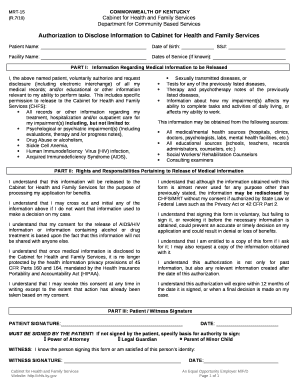
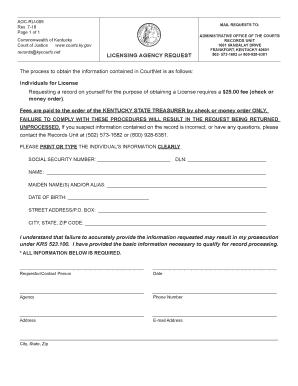


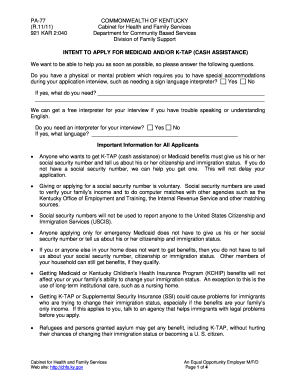


Get the latest insights from our blog



If you believe that this page should be taken down, please follow our DMCA take down process
here
.
This form may include fields for payment information. Data entered in these fields is not covered by PCI DSS compliance.